How to Turn Quiz Results Into Flashcards in 2026: Keep the Misses, Skip the Score Report
Yesterday I opened a quiz report to check one number and stayed for the useful part. The score was fine. Lower on the page were three better signals: one term I still mix up, one graph I read too fast, and one question I got right for a reason I would not trust on the next quiz.
That is the real start of quiz results to flashcards. The report already shows where recall failed under pressure. The job is to keep that part and drop the rest.
In 2026, this workflow matters more because quizzes now come with more feedback than they used to. LMS tools show corrections, teachers leave comments, and AI tutors turn quiz results into short recaps faster than most students would write them by hand. The report is not the study plan, but it is very good raw material for one.
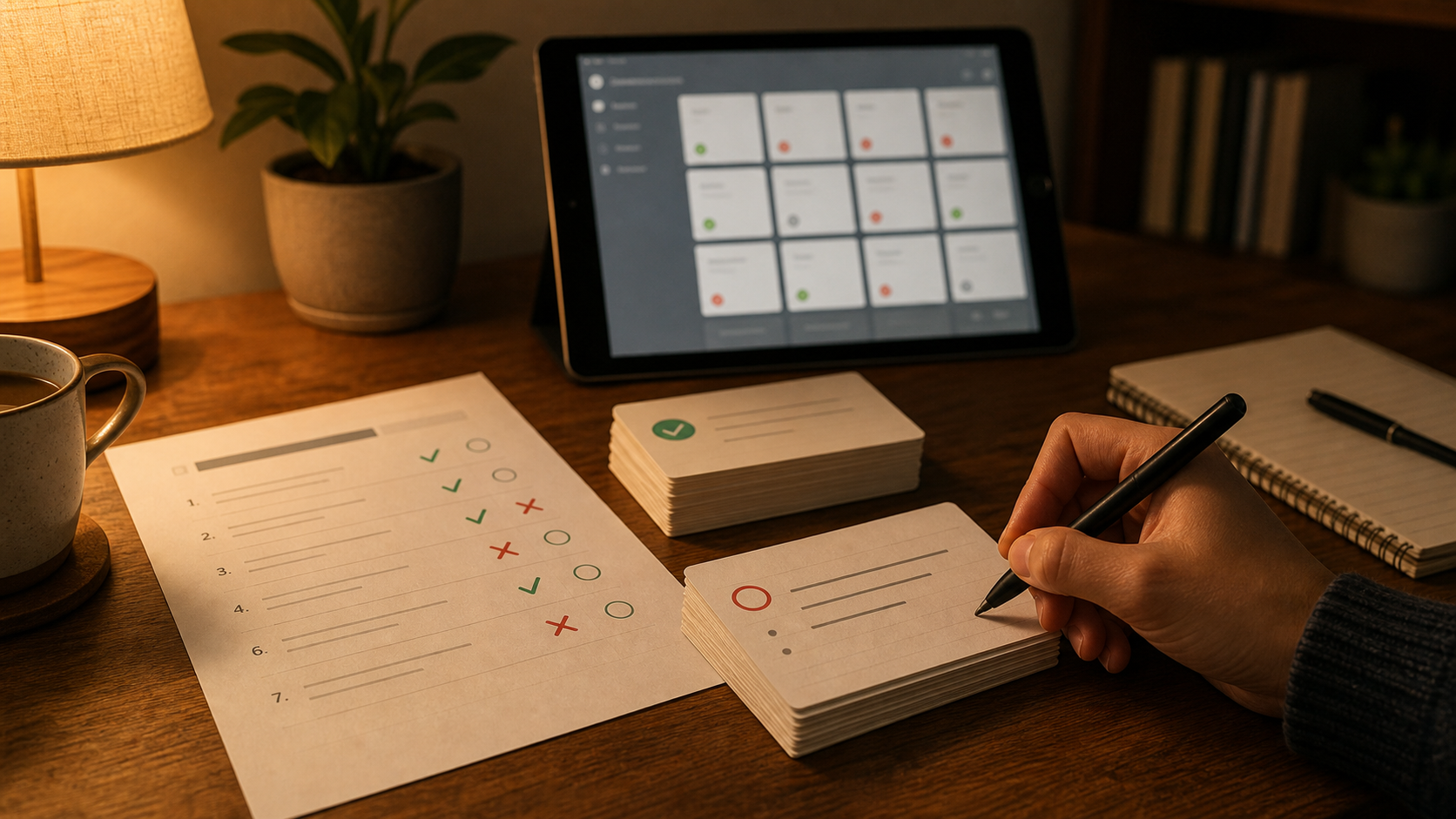
Quiz reports matter more in 2026
Study tools are moving this way.
OpenAI launched ChatGPT Study Mode on July 29, 2025, and the product page describes guiding questions, knowledge checks, and personalized feedback. On August 6, 2025, Google announced new Gemini study tools and said students could create flashcards and study guides from quiz results or other class materials.
Student behavior caught up too. Pew Research Center reported on February 24, 2026 that 54% of U.S. teens had used chatbots for help with schoolwork.
That does not mean quiz tools now solve memory for you. It means more students end a study session with some version of this pile:
- a score
- the missed questions
- the explanation or rubric
- a teacher comment or LMS note
- an AI recap of what went wrong
That is exactly the pile you can turn into useful cards, if you stay selective.
The score is admin. The misses are the study material.
A quiz result usually mixes four different things together:
- your score
- the questions you missed
- the questions you guessed right but did not really know
- the explanation of what the question was really testing
Only the last three help you next week.
The score tells you how that one quiz went. It does not tell you what will still fail on the next quiz, the midterm, or the final. The useful part is the pattern under the score:
- terms you keep swapping
- rules you can recognize but not produce
- cues you miss when you rush
- answer choices that keep fooling you
- facts that disappear right after the quiz ends
That is where quiz feedback flashcards become worth the effort.
Quiz-result workflows are narrower than practice-question workflows
This article is close to How to Turn Practice Questions Into Flashcards in 2026, but the source is different.
Practice-question workflows usually start before or between exams. Quiz-result workflows start after the quiz is already graded and explained. You are not only working from a question stem. You often also have:
- LMS feedback
- a teacher note
- a rubric line
- a screenshot of the correction
- an AI summary of the miss
That extra context is useful, but it creates a common mistake: people save too much.
A full score report is not a deck. It is source material. The goal is to keep the part that will help future recall and drop the rest.
What to extract before you draft any cards
I would not start by asking AI to "make flashcards from this report." I would first reduce each miss or near-miss to five plain fields:
- What concept was the question really testing?
- What did I answer, or almost answer?
- What was the correct rule, definition, or distinction?
- Why did my answer fail?
- Does this need a flashcard, or only a quick reread?
That is enough structure to clean up most quiz reports.
If the report is messy, I would use a prompt like this:
Read this quiz feedback and list only the misses, near-misses, and repeated confusions. For each one, name the real recall target, explain the mistake in one sentence, and suggest either one small flashcard, two smaller flashcards, or no flashcard.
That works better than pasting the whole report and asking for a deck. It keeps the job narrow, which is exactly what quiz feedback needs.
The best card is usually smaller than the quiz item
The question you missed is not always the final card.
A single quiz item can expose a smaller memory problem underneath:
- a biology miss might really be a terminology mix-up
- a history miss might really be a chronology error
- a math miss might really be a sign mistake or a skipped condition
- a nursing miss might really be a priority cue you keep missing
- a language miss might really be one grammar trigger you notice too late
That is why missed quiz questions flashcards work best when you reduce the miss to the recall target that would stop the same error next time.
Four card types cover most quiz-result mistakes
These are the ones I would reach for first.
1. Fact-gap cards
Use these when you simply did not know the answer.
- Front: What does isotonic mean in a cell context?
- Back: It means the solution has the same solute concentration as the cell, so there is no net water movement.
2. Distinction cards
Use these when you mixed up two nearby ideas.
- Front: What is the difference between mitosis and meiosis in chromosome number?
- Back: Mitosis keeps the chromosome number the same. Meiosis cuts it in half.
3. Trigger cards
Use these when the problem was noticing the right cue in the question.
- Front: In a dosage or unit-conversion question, what should you check before doing the arithmetic?
- Back: Check that the units and setup match what the question is actually asking for.
4. Error-pattern cards
Use these when the same careless pattern keeps showing up.
- Front: What mistake do I keep making with negative exponents?
- Back: I treat them like negative values instead of moving the base to the denominator.
This last type matters more than people expect. A lot of quiz misses are not missing facts. They are repeatable bad moves.
Do not paste the whole rationale onto the back
This is where class quiz to flashcards workflows usually go wrong.
The explanation under a missed question can be useful while you are reviewing the report. It is often too long to survive as a flashcard unchanged. If the back of the card contains the whole teacher comment, every answer choice, and a paragraph of context, review gets slow fast.
I would rather split one long explanation into two clean cards or skip it entirely.
The job is not to preserve the report. The job is to preserve the memory fix.
What deserves a card after a quiz
Good flashcard candidates from quiz results usually include:
- repeated conceptual misses
- definitions you could not say cleanly
- terms you keep swapping
- formulas or rules you applied incorrectly
- cues you missed in the wording
- mistakes likely to show up again on the next quiz or exam
Weak candidates usually include:
- one-off trivia that will not return
- giant explanation paragraphs
- questions you missed only because you misclicked
- items you already know cold after one review
- the whole score report copied into the deck because the quiz felt important
That last one is common. The quiz feels high stakes, so the report starts to look important line by line. Usually it is not.
A short workflow that survives a real semester
This is the version I would actually repeat after every quiz:
- Review the report the same day, or at least while the mistake still feels specific.
- Mark only misses, near-misses, and repeated confusions.
- Pull those into a short note or AI chat, not the whole score report.
- Draft one-concept front/back cards from that smaller set.
- Delete or split bloated cards immediately.
- Keep the surviving cards in your regular review flow with FSRS.
That is enough. You do not need a 60-card deck from a 12-question quiz.
If card volume is already your problem, How Many New Flashcards Per Day in 2026 is the companion piece I would read next.
AI helps most when the quiz report is messy
This is a good use of AI, but a narrow one.
Quiz feedback is often spread across:
- LMS pages
- screenshots
- rubric language
- teacher comments
- AI quiz recaps that are helpful but still too broad
AI is helpful when the job is cleanup:
- isolate the concept you missed
- shrink the explanation
- split broad feedback into smaller card candidates
- keep the wording plain enough for fast review
Blind conversion is still the wrong move. If the model turns every sentence into a card, you only moved the clutter into a new format.
If your workflow already includes tutor-style quiz sessions, How to Use AI for Active Recall in 2026 and How to Turn ChatGPT Study Mode Into Flashcards in 2026 fit naturally next to this one.
Where Flashcards fits
Flashcards is a good fit for this workflow because the useful steps are small and practical: draft plain front/back cards, clean them up, and review the ones worth keeping with FSRS. The hosted web app also supports AI chat plus file attachments, including plain text uploads, which helps when quiz feedback starts as copied LMS text or a rough export instead of a neat study guide.
If you want the product overview first, start with the features page or the getting started guide.
Keep the miss. Skip the rest.
That is the rule I trust.
Study the part of the quiz report that exposed a reusable memory problem. Skip the score drama, skip the long rationale, and skip the urge to save everything just because the quiz felt important.
The report already showed you where recall broke. A small set of good flashcards is how you keep that from happening again.