CompTIA Network+ Flashcards (N10-009): Ports, Subnetting, and PBQs
CompTIA gives N10-009 candidates 90 minutes for a maximum of 90 questions, including performance-based questions. The same official objectives that ask you to recall ports and protocols also ask you to use IPv4 addressing in a scenario, configure switching features, inspect network evidence, and troubleshoot failures.
Those are different study jobs. Useful CompTIA Network+ flashcards make small facts and decisions quick to retrieve: a port association, a subnet mask, a command's purpose, or the clue that suggests the next check. Calculations, configuration, packet captures, full troubleshooting scenarios, and PBQs still need active practice outside the deck.
Facts checked: August 26, 2026.
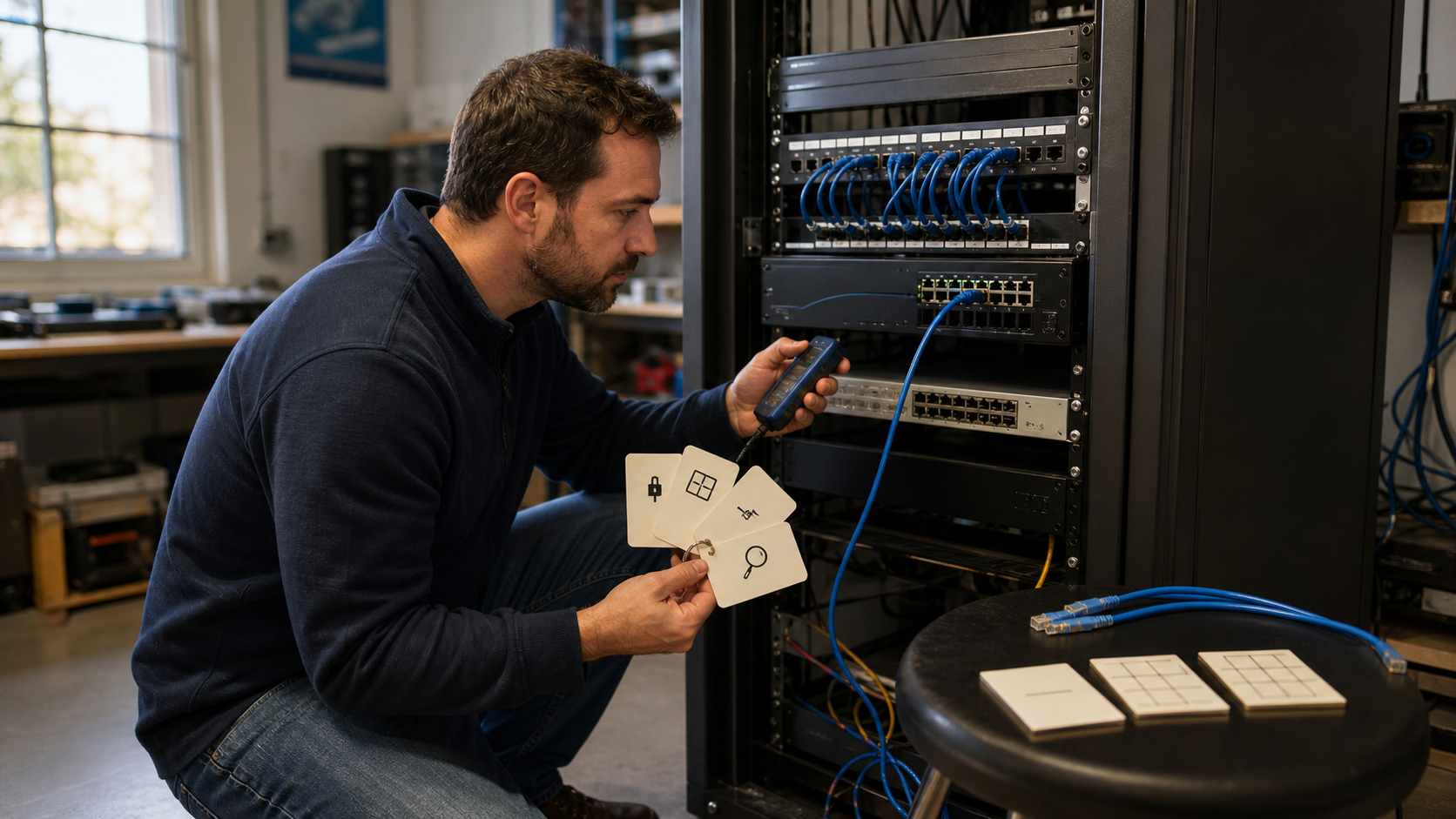
Start with the current N10-009 objectives
The current official CompTIA Network+ N10-009 exam objectives identify themselves as Exam Objectives Version 4.0. They describe an exam with multiple-choice and performance-based questions, a 90-minute limit, and a recommended minimum of 9–12 months of experience in IT networking.
| N10-009 domain | Weight |
|---|---|
| Networking Concepts | 23% |
| Network Implementation | 20% |
| Network Operations | 19% |
| Network Security | 14% |
| Network Troubleshooting | 24% |
Use the percentages to check your overall study coverage, not to set a card quota. If almost a quarter of the exam covers troubleshooting and your deck contains only port numbers, the deck is hiding a gap. The fix is not hundreds of troubleshooting cards, either. It is more scenario work, with a few cards repairing the specific facts and decisions you keep missing.
CompTIA also says the examples under each objective are not exhaustive. Treat the objectives as the best current scope document, but not as a promise that every question will copy one listed bullet. Keep a source tag such as n10-009-v4, and recheck version-sensitive cards against the official PDF before the exam.
Decide whether the topic is a retrieval target or a practice target
The simplest filter is to ask what success looks like. If success means producing one short, stable answer, a flashcard may fit. If it means calculating, inspecting changing evidence, choosing among several reasonable actions, or configuring a device, use a practical exercise. When the answer depends on a scenario, put the reusable clue or decision rule on the card—not the whole scenario.
| Good flashcard targets | Better practiced in full |
|---|---|
| Service and port associations | Inspecting a packet capture |
| Acronym plus practical role | Subnetting unfamiliar networks under time pressure |
| CIDR prefix and mask conversions | Configuring VLANs, routes, wireless, or network services |
| Command or tool purpose | Reading unfamiliar command output |
| One symptom and the next evidence to collect | Tracing a multi-layer network failure |
| One step in the troubleshooting method | Completing a PBQ or longer scenario |
Some topics belong in both columns. You can memorize that /27 maps to 255.255.255.224, then calculate a fresh /27 network on paper. You can recall what tcpdump is for, then use it to capture and filter real traffic. The card removes avoidable hesitation; the exercise tests whether you can do the work.
Write port cards around a service and a practical clue
The N10-009 objectives contain a specific table of Network+ ports and protocols. Use that table for exam scope. For broader protocol research, check the IANA Service Name and Transport Protocol Port Number Registry. The registry records official service-name and transport-port assignments; it still does not tell you what a particular host is running.
Do not turn either source into one giant “name every port” card. Split the material into small prompts and learn the important associations in both directions when they keep causing mistakes.
Front: Which N10-009 service association matches port 22 for encrypted remote
command-line access?

Back: SSH. Port 22 is the standard association; confirm the actual service and
configuration on the host.
Front: Which two services do the N10-009 objectives associate with port 22?

Back: SSH and SFTP.
Front: A client needs automatic IP configuration. Which service and port pair
should come to mind from the N10-009 objectives?

Back: DHCP, ports 67 and 68.
The practical clue matters. 53 -> DNS is useful, but “name resolution is failing; investigate DNS” is easier to apply. 161/162 -> SNMP is useful, but you should also connect SNMP with network monitoring and management.
One boundary deserves its own card:
Front: Traffic uses destination port 443. What can the port number prove about
the application?

Back: It cannot prove which application or service is running. Port 443 is the
standard HTTPS association, but you still need configuration, process, and
traffic evidence.
A port is a convention and a clue, not an identity check. Services can be moved, tunneled, proxied, or misconfigured. Teaching certainty from a number creates exactly the wrong habit for Network+ troubleshooting.
You do not need separate forward and reverse cards for every pairing on day one. Start with one direction, then add the reverse only when recall is slow or two services interfere with each other. The Security+ flashcards guide uses the same approach for protocol and security distinctions.
Use subnetting cards for anchors, then calculate fresh networks
N10-009 objective 1.7 says, “Given a scenario, use appropriate IPv4 network addressing.” That wording is stronger than recognizing a mask in a multiple-choice list. Network+ subnetting flashcards should make the common anchors automatic, then get out of the way while you calculate.
Useful anchor cards are easy to grade:
Front: Which subnet mask matches /27?

Back: 255.255.255.224.
Front: In an ordinary IPv4 /27 subnet, how many addresses are there in total,
and how many are traditionally usable by hosts?

Back: 32 total; 30 traditionally usable after excluding the network and
broadcast addresses.
Front: Which network contains 192.0.2.77/27?

Back: 192.0.2.64/27. The block runs from .64 through .95; the traditional host
range is .65 through .94, and .95 is the broadcast address.
The third card is useful only until you remember that exact answer. After that, it stops testing calculation and starts testing the card. Treat worked examples as temporary checks or templates, then continue with fresh addresses, different prefix lengths, VLSM planning, and timed exercises where no answer is waiting on the back.
A balanced subnetting block can look like this:
- Review due prefix, mask, block-size, and host-count cards.
- Calculate five unfamiliar subnets without revealing an answer.
- Check network address, broadcast address, and usable range.
- Write a repair card only for the rule that caused a repeated mistake.
If you keep forgetting that a /26 advances in blocks of 64, that fact belongs on a card. If you understand the block size but lose track of boundaries under time pressure, more calculation is the repair.
Command cards should retrieve the tool before the syntax
The objectives list software tools such as a protocol analyzer, ping, traceroute or tracert, nslookup, tcpdump, dig, netstat, ip, ifconfig, ipconfig, arp, and Nmap. They also list hardware tools and basic device commands such as show route, show interface, show config, show arp, and show vlan.
That is a good card source, but command memorization can become fake competence quickly. Ask what evidence the tool should produce.
Front: Which N10-009 command-line tool can query DNS when you need to test name
resolution?

Back: `nslookup` or `dig`, depending on the system and task.
Front: Which command-line tool captures packets for later inspection?

Back: `tcpdump`.
Front: Which basic device command should you consider when you need VLAN
information?

Back: `show vlan`. Exact syntax and output depend on the device platform.
Front: What extra evidence can `traceroute` provide beyond a basic `ping` test?

Back: The sequence of responding hops toward the destination, which can help
locate where a path changes or stops. Treat missing responses as evidence to
investigate, not automatic proof that a hop is down.
After reviewing a command card, run the command in a lab or on a system you are allowed to test. Predict what you expect, read the actual output, change one condition, and run it again. That short loop teaches permissions, flags, platform differences, filtering, and messy output—things the card cannot reproduce. The terminal command flashcards guide goes deeper into this method.
Troubleshooting cards should preserve uncertainty
The largest N10-009 domain is Network Troubleshooting at 24%. The objectives cover a troubleshooting method, physical-interface faults, switching and service problems, performance issues, software tools, hardware tools, and device commands.
The weak card asks, “What causes packet loss?” and expects a long list. A stronger card gives one observation and asks what it justifies next.
Front: A client has a 169.254.x.x IPv4 address. What does that suggest, and
what should you investigate next?

Back: The client has an APIPA/link-local address instead of its expected
configuration. Check the local link and the path to DHCP. The address alone
does not identify the failed component.
Front: A host is reachable by IP address but not by hostname. Which service is
a sensible next check?

Back: DNS name resolution. Confirm the client configuration and query the
needed record before deciding where DNS is failing.
Front: CRC errors keep increasing on an interface. What does that justify?

Back: Investigating the physical path and related interface evidence, including
cabling, transceivers, and speed or duplex settings. The counter alone does not
isolate one component.
The phrasing is deliberate. “What does this suggest?” or “What should you check next?” trains evidence-based reasoning. “What caused this?” often teaches false certainty from one symptom.
The official method also produces useful sequence cards:
Front: Your first theory of probable cause is not confirmed. According to the
N10-009 troubleshooting method, what comes next?

Back: Establish a new theory or escalate.
Memorizing the steps is only the start. In a lab, identify the problem, build and test a theory, plan the fix and consider its impact, implement it or escalate, verify full functionality, consider preventive measures, and document the findings, actions, and outcome. A real failure rarely arrives with the objective number attached.
Keep PBQ practice bigger than the card
CompTIA describes performance-based questions as items that test problem-solving in simulations or virtual environments. A PBQ can combine topology, configuration, tools, symptoms, and several decisions. A front-and-back prompt cannot recreate that working state.
Use flashcards on both sides of Network+ PBQ practice:
- Before practice, retrieve the ports, commands, subnet anchors, and troubleshooting steps you may need.
- During the PBQ or lab, work from the evidence without opening the deck.
- Afterward, write down the clue you missed, the wrong assumption, and the skill that actually failed.
- Create a repair card only when one narrow retrieval failure contributed to the miss.
- Test the repair in a different scenario.
Suppose you chose the wrong tool because you could not remember which command queries DNS. That is a clean repair card. If you knew the tool but could not interpret the response, spend time with real output. If you lost the network boundary while subnetting, calculate more unfamiliar networks. If you could not configure the device, return to the lab.
Do not copy a legitimate practice question into the deck. Preserve the reusable lesson in your own words and discard the question's story, answer choices, and distinctive wording. The guide to turning practice questions into flashcards gives a complete workflow.
The official objectives also warn against unauthorized third-party material commonly called brain dumps. Use the current objectives, authorized training and practice, your own lab observations, and your own explanations. Memorizing leaked question wording is not Network+ study.
A practical Network+ study loop
A good weekly system moves back and forth between memory and networking work. It does not finish the deck first and postpone the labs until later.
For one small objective group:
- Read the objective and learn it from a current, legitimate source.
- Make a few cards for facts, distinctions, and tool choices you cannot retrieve cleanly.
- Review due cards before the practical block.
- Do a calculation set, configuration task, packet exercise, or troubleshooting lab.
- Complete a short set of legitimate scenario questions or PBQ practice.
- Classify each miss before choosing the repair.
| What failed | Best next response |
|---|---|
| You forgot one port, mask, acronym, or command purpose | Add or rewrite one narrow card |
| Two related concepts kept interfering | Add a contrast card |
| Subnetting was slow or inaccurate | Calculate fresh networks |
| You misread command output or a packet capture | Inspect more real output and annotate the missed clue |
| You could not configure the feature | Repeat the lab from a clean state |
| You lost track of a multi-step scenario | Do another troubleshooting exercise or PBQ |
FSRS is useful in a Network+ study plan once the cards are worth scheduling, but card creation should stay selective. The scheduler can adapt future reviews to your review history; it cannot turn an ambiguous prompt or an unpracticed networking skill into competence. The guide to how FSRS works explains the scheduler and its limits.
A simple organization is one N10-009 deck with tags such as ports, subnetting, commands, operations, security, troubleshooting, practice-miss, and lab-miss. Add the objective code to version-sensitive cards when it helps you audit them. Tags should help you find a weak area, not reproduce the entire PDF as a folder tree.
Where Flashcards Open Source App fits
Disclosure: Flashcards Open Source App is not affiliated with or endorsed by CompTIA. It is not an official Network+ course, practice exam, or PBQ simulator.
Flashcards Open Source App handles the memory part of the workflow: front-and-back cards, decks and tags, due review with FSRS, offline study and sync, portable exports, and a self-hosted option. It should hold the small facts and decisions you want available before practical work.
There is no official or prebuilt N10-009 deck implied here. Start from the current CompTIA objectives and your own legitimate study misses. Getting Started covers the hosted and self-hosted paths if you want to build the deck in Flashcards.
If you are studying a nearby certification, the CompTIA A+ flashcards guide applies the same retrieval-versus-practice boundary to technician work, while the CCNA flashcards guide goes deeper into routing, switching, and command practice.
CompTIA Network+ flashcards FAQ
Which ports should I put on N10-009 flashcards?
Start with the port and service table in the current official objectives. Make small cards for the associations you cannot retrieve, then connect each one to its practical job. Remember that the objectives say their examples are not exhaustive, and a port number does not prove which service is running.
Are Network+ flashcards enough for subnetting?
No. Use cards for prefix-to-mask conversions, block sizes, host counts, and rules you repeatedly forget. Calculate fresh networks separately so you can find the network, broadcast, and usable range without memorizing one prompt.
Can flashcards replace Network+ labs or PBQs?
No. Cards can make prerequisites faster to retrieve. Labs and authorized PBQ practice still test configuration, calculation, navigation, evidence gathering, and multi-step decisions.
Should I make a card for every N10-009 objective?
Use the objectives as a coverage map, not a transcription assignment. Make cards for narrow facts and distinctions that need repeated retrieval. Use labs, calculations, packet captures, scenarios, and practice questions for the rest.
How should I turn a missed practice question into a card?
Identify the small fact, clue, or distinction that caused the miss. Write a new prompt in your own words that tests only that lesson. Do not copy the original question, answer choices, or distinctive scenario.
Build the deck from the next real miss
Open the official N10-009 objectives and choose one small section. Learn it, then do something that can fail: calculate a subnet, query DNS, inspect a route, capture traffic, configure a switch, or troubleshoot a broken lab.
Make cards from the narrow points where recall slowed you down. Keep the calculation, device, output, and scenario in the practical session. That separation produces N10-009 flashcards worth reviewing—and a Network+ study plan that still works when the problem is larger than one answer on the back of a card.