2026 में Google Docs को Flashcards में कैसे बदलें: बिखरे shared docs से साफ़ FSRS cards तक
कल मैंने Exam 3 Study Guide नाम का एक shared Google Doc खोला और वही नज़ारा मिला जिसकी मुझे उम्मीद थी: suggestion mode के edits अब भी लटके हुए थे, तीन comments में लिखा था "Do we need this?", एक heading का नाम IMPORTANT था, और एक sentence chemistry notes की तरह शुरू होकर teammate negotiation पर खत्म हो रहा था। पढ़ाई के लिए काम का doc। flashcards के लिए बहुत खराब draft।
यही Google Docs से flashcards वाली असली समस्या है। Google Doc आम तौर पर सीधे cards में बदलने लायक साफ़ नहीं होता, क्योंकि उसमें final facts के साथ editing history, shared ownership, vague wording, और ऐसी lines भी मिली होती हैं जो collaboration के दौरान तो समझ आती थीं, बाद में नहीं। अगर आप उसे ज्यों का त्यों cards में बदल देंगे, तो आम तौर पर duplicate cards, fuzzy prompts, और ऐसे AI-generated cards मिलेंगे जो आज ठीक लगते हैं और अगले हफ्ते चिढ़ाने लगते हैं।
असल पढ़ाई का बहुत-सा काम पहले से Docs में ही होता है: shared review sheets, class notes, tutoring summaries, office hours के बाद की cleanup, lab writeup explainers, और ऐसे comments जो कभी-कभी paragraph से ज़्यादा काम के होते हैं। मुश्किल text निकालने की नहीं है। मुश्किल यह तय करने की है कि "बाद में याद रखने लायक क्या है" और "जो रात 11:40 बजे group doc में ठीक लग रहा था" इनमें फर्क कैसे किया जाए।
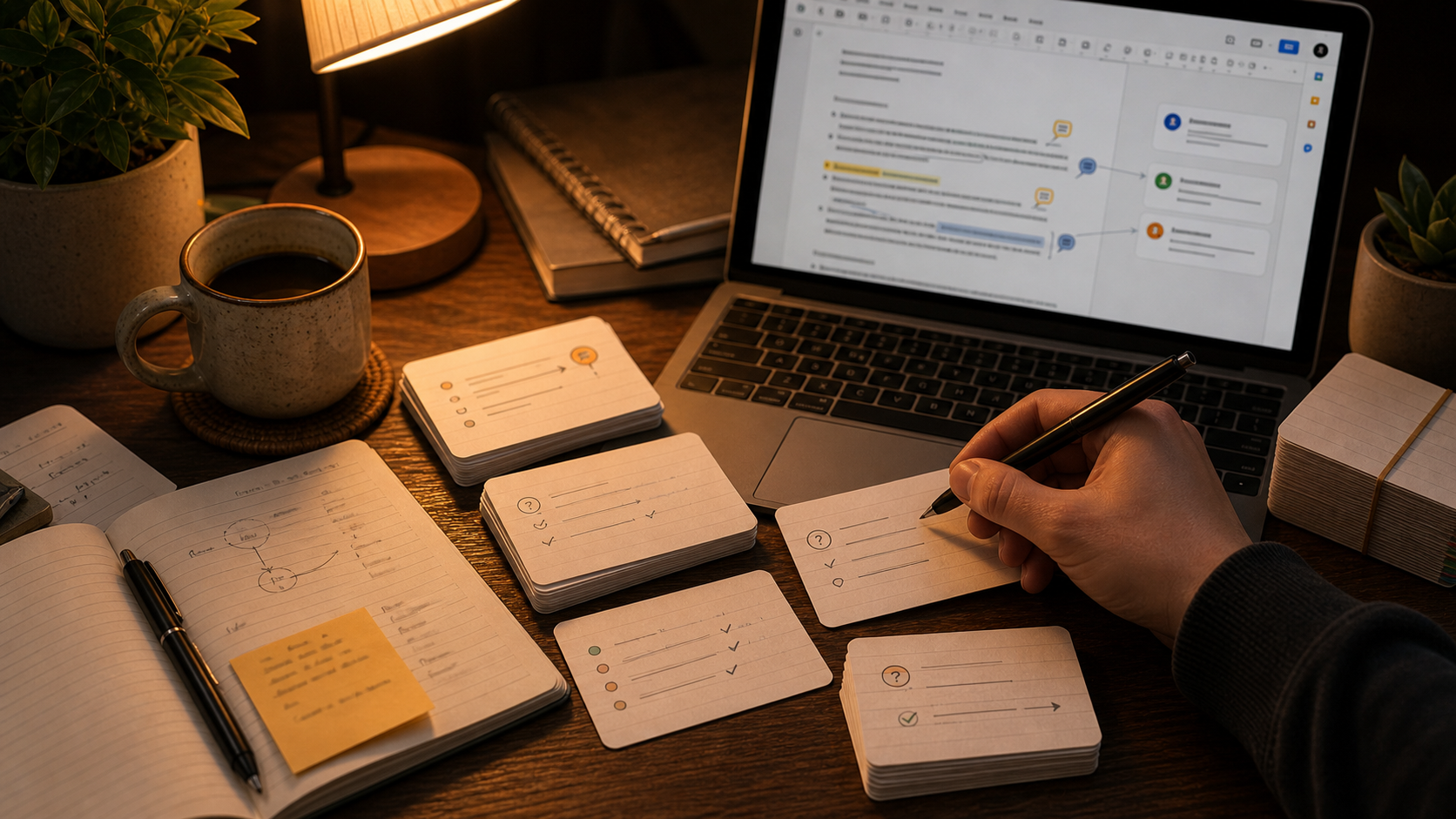
Google Docs वही जगह है जहाँ study guide पहले से रहती है
इसी वजह से इस workflow पर अलग article बनता है।
Google Docs सिर्फ़ "cloud में notes" नहीं है। ज़्यादातर बार वही जगह होती है जहाँ raw class material धीरे-धीरे कुछ ज़्यादा usable shape लेता है:
- पूरी class के लिए एक shared study guide
- एक tutoring doc जो हर हफ्ते थोड़ा और साफ़ होता जाता है
- एक running notes file जिसमें हर lecture की headings होती हैं
- एक doc जिसमें comments भरे होते हैं जैसे "Do we need to know this?"
इसलिए यह topic How to Turn Notes Into Flashcards और How to Turn a Study Guide Into Flashcards दोनों से जुड़ता है। फर्क collaborative mess का है। Google Docs आपको live edits, comments, suggestion mode, headings, और पाँच अलग दिमागों से आए copied fragments देता है। material इकट्ठा करने के लिए अच्छा। ज्यों का त्यों याद करने के लिए खराब।
किसी जादुई Google Docs sync का इंतज़ार मत कीजिए
मैं इसे यहाँ मुख्य लक्ष्य नहीं मानता।
Flashcards Open Source App तब काम आती है जब आप doc से relevant text निकाल लेते हैं। अभी का product surface आपको AI chat, file attachments, plain text uploads, front/back card creation, और FSRS review देता है। यह किसी खास Google Docs integration का वादा नहीं करता जो live shared document पढ़कर चुपचाप आपके लिए clean deck बना दे। ईमानदार workflow अभी यही है। मौजूदा product surface आप features page पर देख सकते हैं।
Google Docs workflow के लिए आम तौर पर इतना ही काफ़ी है:
- एक साफ़ section को text में copy करें
- या relevant chunk को ऐसी file में export करें जिसे आप inspect कर सकें
- उस material से candidate cards draft करें
- cards को अपनी असली review queue का हिस्सा बनाने से पहले अच्छी तरह edit करें
Bottleneck कभी यह नहीं था कि "एक app को दूसरी app से कैसे जोड़ें?" असली bottleneck यह तय करना है कि doc में कौन-सी चीज़ future reviews की हक़दार है।
cards माँगने से पहले doc को साफ़ करें
यह step किसी भी fancy prompt से ज़्यादा समय बचाती है।
headings को batch boundaries की तरह इस्तेमाल करें
अगर doc में सचमुच headings हैं, तो उनका इस्तेमाल कीजिए।
एक heading आम तौर पर एक concept cluster, एक lecture section, या एक exam topic से मेल खाती है। इससे batch size अपने आप तय हो जाती है। साथ ही वह classic गलती भी रुकती है जिसमें आप 14-page shared doc AI में paste कर देते हैं, 90 cards वापस लेते हैं, और अगले दिन की review problem उसी वक्त बना लेते हैं।
मैं एक बार में एक heading पर काम करूँगा:
- chapter का एक section
- एक case study
- एक lecture topic
- एक vocabulary block
छोटे batches को ईमानदारी से judge करना आसान होता है। duplicate cards के ढेर बनने से पहले उन्हें काटना भी आसान हो जाता है।
document length से नहीं, study-guide section से split करें
shared docs अक्सर बहुत बड़े होते हैं, और वजह भी बहुत साधारण होती है। लोग उसी file में नया material जोड़ते रहते हैं।
कुल page count को नज़रअंदाज़ कीजिए। उस section को ढूँढिए जो पहले से एक study unit की तरह behave कर रहा हो:
- एक heading जिसमें concepts का एक परिवार हो
- एक review-sheet block
- एक "terms to know" subsection
- एक process या sequence section
अगर heading के भीतर अब भी बहुत कुछ मिला हुआ है, तो उसे फिर से split कर दीजिए। साफ़ तीन-paragraph का subsection अक्सर उस पूरे seven-page doc से बेहतर flashcard input होता है जो technically एक ही prompt में fit हो जाती है।
comments कई बार paragraph से बेहतर card seeds देती हैं
यह workflow का सबसे Google Docs-specific हिस्सा है।
comments अक्सर दिखाती हैं कि कहाँ कोई confused हुआ, कहाँ clarification की ज़रूरत पड़ी, या कौन-सा distinction बार-बार लोगों को अटका रहा था। वही material बाद में अच्छे flashcards बनने की सबसे ज़्यादा संभावना रखती है।
उदाहरण:
- "Do we need to know the steps in order?"
- "How is this different from the previous term?"
- "Can someone explain why this happens?"
- "Teacher said this part is on the exam."
ये polished notes नहीं हैं। ये recall targets हैं जो सामने ही छिपे पड़े हैं।
अगर मुझे original paragraph याद करनी हो या classmate ने उस paragraph पर जो सवाल पूछा था उसे याद करना हो, तो मैं ज़्यादातर बार सवाल चुनूँगा।
suggestion mode दिखाती है कि wording कहाँ कमजोर थी
suggestions तब useful होती हैं जब वे दिखाती हैं कि original sentence बहुत broad थी, बहुत vague थी, या थोड़ी-सी गलत थी।
यह अच्छा card material है।
आपको पूरी edit trail नहीं, corrected idea पकड़नी है। अगर किसी teammate ने "DNA copies itself in the nucleus" को बदलकर "DNA replication happens during S phase in the nucleus" किया, तो काम का card timing और location पर होना चाहिए। काम का card यह नहीं है कि "Alex ने मंगलवार को कौन-सा sentence rewrite किया था?"
owner और teammate ambiguity पहले हटाएँ
shared docs से खराब cards बनाने का यह सबसे आसान तरीकों में से एक है।
Google Docs ऐसी lines से भरा होता है:
- "she said this will be on the exam"
- "ask Sam if we need this"
- "maybe combine with previous slide"
- "this matters more than the table above"
इनमें से कोई भी line बिना बदले नहीं रहनी चाहिए।
cards draft करने से पहले unclear ownership, unclear pronouns, और unresolved context वाली हर चीज़ को rewrite या delete कर दीजिए। future-you को सही जवाब देने के लिए यह याद नहीं रखना चाहिए कि line किसने लिखी थी।
collaborative noise पहले strip करें
shared docs में बहुत-सा ऐसा text जमा हो जाता है जो कभी card नहीं बनना चाहिए:
- greetings और admin notes
- अलग contributors के duplicate bullet points
- suggestion mode की wording जो सिर्फ़ editing के दौरान मायने रखती थी
- "fix later" placeholders
- comments के अंदर की side conversations
अगर doc अब भी meeting transcript की तरह पढ़ी जाती है, तो AI से कुछ भी माँगने से पहले उसे साफ़ कीजिए। वरना model उसी noise को बचाकर उसे ज़रूरत से ज़्यादा official बना देगी।
वह workflow जिसे मैं सच में दोहराऊँगा
यह वह version है जिस पर मुझे बुधवार रात भरोसा होगा, जब मुझे दूसरी नौकरी जैसा काम नहीं चाहिए।
- Google Doc के एक छोटे section को freeze करें।
- heading, final text, और वे comments रखें जो असली confusion दिखाती हैं।
- admin chatter, duplicates, suggestion debris, और owner ambiguity हटा दें।
- उस cleaned section को Flashcards Open Source App की AI chat में paste करें, या अगर inspect करना आसान हो तो exported file attach करें।
- plain front/back cards माँगें, हर card में एक fact, distinction, या step हो।
- कमज़ोर या repeated cards को review तक पहुँचने से पहले ही हटा दें।
- लंबे answers को rewrite करें और overloaded cards को split करें।
- बचे हुए cards को FSRS के साथ review करें।
prompt सीधा-सादा रह सकता है:
इस साफ़ किए गए Google Docs section को plain front/back flashcards में बदलो। हर card में सिर्फ़ एक fact, distinction, या process step हो। answers छोटे रखो। admin notes, repeated bullets, unresolved teammate chatter, और ऐसी किसी भी चीज़ को छोड़ दो जो यह जानने पर depend करती हो कि comment किसने लिखी थी।
अच्छा first draft पाने के लिए इतना structure काफ़ी है। असली quality फिर भी editing से ही आएगी।
shared docs बहुत जल्दी duplicate cards बना देती हैं
यहीं shared notes से flashcards वाले कई workflows गड़बड़ा जाते हैं।
collaborative docs अच्छे कारणों से खुद को दोहराती हैं। एक व्यक्ति definition लिखता है। दूसरा उसे आसान भाषा में फिर से लिखता है। तीसरा एक example जोड़ देता है। बाद में कोई clarification माँगते हुए comment छोड़ देता है, और अब वही concept चार थोड़ा-थोड़ा अलग रूपों में मौजूद है।
AI यह सब पढ़कर ठीक ही समझती है कि idea महत्वपूर्ण है।
फिर वह चार cards draft कर देती है।
इसीलिए मैं हर बार hard deletion pass करूँगा। सबसे साफ़ version रखिए। जहाँ ज़रूरत हो merge कीजिए। ऐसी हर चीज़ हटाइए जो सिर्फ़ इसलिए useful लग रही हो क्योंकि आपने उसे document में तीन बार देखा।
अगर यही पहले से pain point है, तो How to Avoid AI Flashcard Overload उसका companion piece है। Google Docs deck को खराब महसूस कराने का सबसे तेज़ तरीका है हर draft card को सिर्फ़ इसलिए रख लेना क्योंकि source comprehensive लग रही थी।
FSRS के सामने जाने से पहले weak AI cards काट दें
यह हिस्सा prompt से ज़्यादा मायने रखता है।
shared-doc inputs अक्सर एक बहुत predictable तरह का weak AI card बनाती हैं:
- front answerable सवाल पूछने के बजाय heading दोहराती है
- answer में तीन facts ठूँसी होती हैं क्योंकि paragraph में तीन facts थीं
- card में "this one" या "the earlier example" जैसी comment wording बची रहती है
- card उस sentence को test करती है जो सिर्फ़ group editing के दौरान important थी
मैं उन्हें तुरंत delete या rewrite करूँगा।
एक आसान filter काफी है। card तभी रखिए अगर:
- आप उसे doc दोबारा खोले बिना answer कर सकते हैं
- answer इतना छोटा है कि उसे जल्दी grade किया जा सके
- card एक memory target test करता है
- collaboration noise हटने के बाद भी source text याद रखने लायक लगती है
अगर नहीं, तो काट दीजिए। FSRS अच्छे cards को schedule करने का काम अच्छी तरह करती है। weak cards को बचाने के लिए वह नहीं है।
suggestions और comments weak spots ढूँढने के लिए अच्छी हैं, word-for-word बचाने के लिए नहीं
suggestion mode useful है क्योंकि वह uncertainty को सामने लाती है।
अक्सर आप देख सकते हैं:
- कौन-सी wording को correction चाहिए थी
- कौन-सा claim बहुत broad था
- कौन-सा example पहले वाले से ज़्यादा साफ़ था
- कौन-सा term लोग बार-बार गड़बड़ा रहे थे
इसका मतलब यह नहीं है कि पूरी editing history को card के अंदर बचाकर रखा जाए।
असल memory target निकालिए और उसे साफ़ भाषा में rewrite कीजिए। अगर doc comment में लिखा है, "This sounds like operant conditioning but I think it is classical conditioning," तो card का काम distinction test करना होना चाहिए, पूरी sentence को नहीं।
यही discipline How to Make Better Flashcards के पीछे भी है। अच्छे cards उन notes से आसान सुनाई देते हैं जिनसे वे निकले थे।
final deck को एक giant doc के बजाय source section के हिसाब से organize करें
Google Docs giant all-in-one files को बढ़ावा देता है।
Flashcards review तब बेहतर काम करती है जब deck थोड़ी focused रहे।
मैं output को आम तौर पर इन आधारों पर split करूँगा:
- course या exam
- unit या chapter
- lecture number
- study-guide section
इससे बाद की cleanup आसान हो जाती है। और जब एक shared doc में vocabulary, short-answer prompts, और process diagrams सब एक साथ मिले हों, तब भी चीज़ें संभालना आसान रहता है।
आपको पहले दिन से beautiful taxonomy की ज़रूरत नहीं है। आपको बस इतनी structure चाहिए कि एक collaborative document एक giant, बिना फ़र्क वाली deck में न बदल जाए।
copy या export step के बाद Flashcards Open Source App कहाँ fit बैठती है
जब Google Doc का useful हिस्सा साफ़ रूप में आ जाता है, तब Flashcards Open Source App वही हिस्सा संभालती है जो सच में मायने रखता है:
- pasted text या attached files से drafting के लिए AI chat
- plain front/back card creation
- cards पर भरोसा करने से पहले उन्हें edit करने की एक जगह
- cleanup pass के बाद FSRS scheduling
यह Google Docs material के लिए अच्छा fit है, क्योंकि app उसी बिंदु पर काम संभालती है जहाँ notes अकेले काफ़ी नहीं रहतीं। आप collaborative document से शुरू कर सकते हैं, उसे एक section तक घटा सकते हैं, final cards shape कर सकते हैं, और सीधे review में जा सकते हैं। अगर आप यह workflow पहली बार set up कर रहे हैं, तो getting started guide सबसे छोटा रास्ता है।
वह version जिस पर मुझे इस हफ्ते भरोसा होगा
पूरे Google Doc को याद करने की कोशिश मत कीजिए।
doc को raw material की तरह इस्तेमाल कीजिए। एक बार में एक heading उठाइए। confusion दिखाने वाले comments रखिए। teammate noise हटाइए। unclear ownership वाली हर चीज़ rewrite कीजिए। AI से draft बनवाइए। weak cards को review debt बनने से पहले काट दीजिए। फिर बचे हुए cards को FSRS के साथ पढ़िए।
2026 में Google Docs को flashcards में बदलें का मेरे लिए यही practical version है। collaborative notes collaborative रह सकती हैं। deck को बस इतना साफ़ होना है कि थका हुआ future-you document दोबारा खोले बिना उसका जवाब दे सके।